Getting Started with Basketball Duels
From first join to confident half-court play — modes, greens, styles, and your next guides.
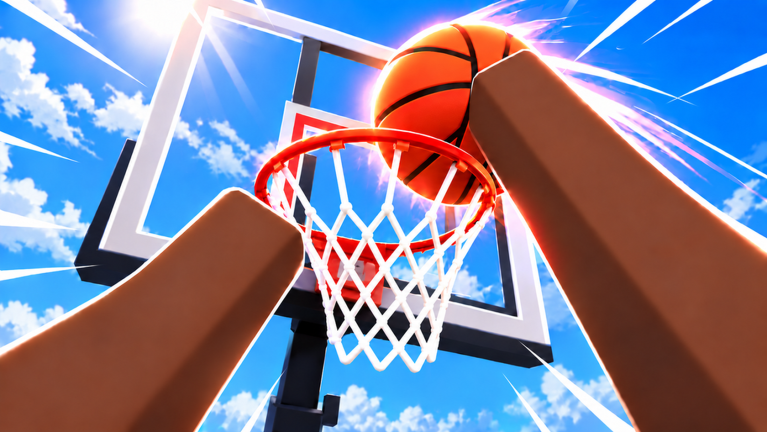
Basketball Duels is a half-court Roblox basketball experience from The Roblox Basketball Association. Matches are scored to a target: the first side to hit that score wins. Success comes from timing your shot release on the green window, using styles and abilities, and reading whether you should shoot, pump fake, or attack the rim. This guide walks you from joining the place through your first CPU and player matches so you know what to practice next.
Created on October 27, 2026, the game has already drawn roughly 4.9 million visits. Season 1 Winter ‘26 is listed with a winter pass around November 28, 2026, so early progress on styles and abilities puts you ahead when seasonal rewards land. Bookmark the Guides Hub, Codes, Tier List, and Players hubs while you learn — you will return to them often.
How to join Basketball Duels
Open Roblox and go to the official place: Basketball Duels on Roblox. Use that link (or search the exact title) so you land on the live Association experience, not a lookalike. Join from a desktop or console for the clearest feel of timing and movement; mobile works through on-screen buttons that mirror the same actions, but the green window is easier to learn with a keyboard or controller.
After you load in, take a minute in the lobby or practice space before queueing ranked pressure. Confirm your device: PC players will use Space, J, K, L, I, and Q for the core kit; console players map those ideas to X, B, Y, RT, RB, A, D-Pad Left, and LT. Full bind tables live on the Controls page — keep that tab open for your first sessions.
Modes: 1v1, 2v2, and larger teams
Basketball Duels supports 1v1 plus 2v2 and larger team formats. Start in 1v1 when you can. Solo play forces you to own every green, every steal attempt, and every closeout. You learn spacing and shot selection without relying on a teammate to bail out a bad drive.
Move to 2v2+ once basic greens feel consistent. Team modes reward passing (I on PC, A on console) and awareness of who has the cleaner look. Do not treat every possession as a hero isolation; use a pump fake or a short dribble sequence to create a better angle, then pass if help defense collapses. The win condition stays the same across modes — first to the target score — so efficient possessions matter more than flashy ones.
First matches: CPU before live players
Queue against CPU (or the softest available practice opponents) before you grind public PvP. CPU games let you watch the timing meter without someone contesting every catch. Goals for those early games:
- Release on green, not early yellow or late red-feeling windows.
- Mix in pump fakes so you are not predictable when you catch open.
- Try one drive and one step-back look each half so movement keys feel natural.
- On defense, practice steal (J / X) and block (K / Y) timing without spamming.
When greens start landing more often than misses in practice, step into live 1v1. Expect contested looks, faster closeouts, and players who punish telegraphed drives. That pressure is why the dedicated How to Green guide exists — treat green timing as a skill you train, not a coin flip.
Green timing in one paragraph
Shooting uses a timed release: press Shoot/Pump Fake (Space on PC, X on console), then release when the indicator hits green. Holding too long or releasing early costs you make percentage. Pump fakes use the same input without committing the shot, which is how you freeze a jumpy defender before you actually fire or drive. Deep technique — including when to shoot versus when to attack — is covered in How to Hit Greens. For now, prioritize clean catch-and-shoot greens over contested hero heaves.
Styles and abilities overview
Styles and abilities are the long-term progression layer. Styles change how your player feels on the court; abilities (Q on PC, D-Pad Left on console) give you a timed tool for offense or defense. You do not need every unlock on day one. Focus on learning default movement and greens first, then unlock options that match how you already play — for example, tools that help create space if you prefer isolation, or tools that help finish if you live in the paint.
When you are ready to compare options, use the Tier List for community rankings and the Players hub for roster-style reference. Redeem any active promo gifts on the Codes page so you do not leave free progress on the table before the Season 1 Winter ‘26 winter pass window.
Movement basics you should drill early
Offense is more than standstill shooting. Learn these moves in short reps:
- Crossover (J / B) to shift the ball and change direction.
- Step back (K / Y) to create separation for a jumper.
- Drive (L / RT) to attack closeouts.
- Spin (L then J on PC; RB on console for the spin input family) to turn the corner when a defender overcommits.
Chain a move into a green only when you have space. Forcing a contested pull-up after a messy dribble teaches bad habits. The Dribble Moves guide expands each combo and how to read defense.
Defense uses steal, block, and slide (L / LT). Slide to stay in front; steal when the ball is exposed; block when the shooter is elevated and you have vertical timing. Over-gambling on steals opens driving lanes — patience wins more half-court possessions than constant reach-ins.
A practical first-hour checklist
- Join the official Roblox place and confirm PC or console binds on Controls.
- Play CPU or low-pressure matches until you can hit greens on open looks.
- Add pump fakes and one dribble move (crossover or step back) into live possessions.
- Unlock or equip an early style/ability that fits your habits; skim Tier List before spending resources.
- Claim codes, then review Players and this wiki’s guide cluster for your next skill gap.
What to study next
- Controls — full PC and console tables, offense vs defense, spin combo notes, and mobile touch tips.
- How to Green — release windows, pump fakes, shoot vs drive decisions, common mistakes.
- Dribble Moves — crossover, step back, drive, spin, spacing, and chaining into greens.
- Codes, Tier List, Players, and Updates — rewards, rankings, roster context, and patch notes including Season 1 Winter ‘26.
Basketball Duels rewards players who treat greens and movement as practiced skills. Win the half-court by hitting the target score first — and build that score with clean timing, smart drives, and styles you actually understand.
Frequently Asked Questions
Quick answers for Basketball Duels players.
Where do I play Basketball Duels?
Join the official Roblox place from The Roblox Basketball Association: https://www.roblox.com/games/134954408729617/Basketball-Duels.
How do you win a match?
Matches are first to a target score. Focus on efficient greens and possessions rather than only flashy plays.
Should I start in 1v1 or 2v2?
Start in 1v1 (and vs CPU when available) so you own every shot and defensive read. Move to 2v2+ once greens and basic dribbles feel consistent — then read the Team Modes and Defense guides.
What is a green in Basketball Duels?
A green is a correctly timed shot release. Press Shoot, then release when the timing indicator hits the green window for a higher chance to score.
When is Season 1 Winter '26?
Season 1 Winter '26 is listed around November 28, 2026 with a winter pass. Progress styles and abilities early so you are ready for seasonal rewards.
Where can I find controls and advanced guides?
Use the Controls, How to Green, and Dribble Moves pages under Guides, plus Codes, Tier List, and Players for rewards and loadout decisions.