Basketball Duels Season 1 Winter '26
Winter pass and new rewards land November 28, 2026—prepare your grind without guessing fake loot tables.
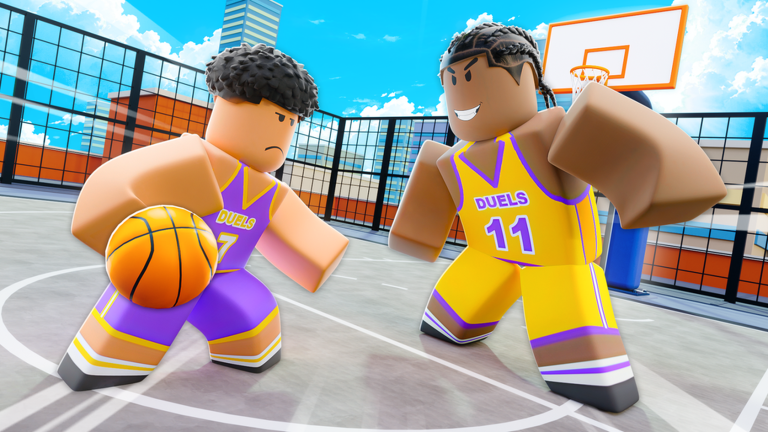
Season 1 Winter ‘26 is listed on the Basketball Duels Roblox events calendar for Saturday, November 28, 2026 (showtime listed around 12:00 PM on the experience events panel). The official event blurb highlights a winter pass and new rewards. Basketball Duels itself launched around October 27, 2026 under The Roblox Basketball Association, so Season 1 is the first major seasonal beat for many players still unlocking styles and abilities on the half-court.
This page is a preparation guide—not a fabricated reward spreadsheet. Exact pass tracks, currency sinks, and item names should be confirmed in-game and on official channels when the event goes live. Use the checklist below so you are ready to claim, grind, and test new tools the moment they drop. For ongoing patch notes, stay on the Updates Hub.
What we know from the announcement
Confirmed or strongly evidenced from the Roblox event listing and game positioning:
- Event name: Season 1 Winter ‘26
- Date: November 28, 2026
- Stated content: winter pass, new rewards
- Game fantasy: half-court duels, green timing, crossovers / step backs / spins, styles and abilities, 1v1 plus 2v2 and larger team modes
Not confirmed in public copy as of this writing:
- Full reward tables, rarity ladders, or exact pass tier counts
- Whether rewards are free track only, premium track, or mixed
- Balance changes bundled with the Season drop
- Time-limited modes beyond the pass framing
When the event opens, verify rewards in the Season / pass UI first, then update your personal notes. This wiki will stay honest: we will not invent item names to fill space.
Why Season prep matters on a new court
Basketball Duels is still early. Players who enter Winter ‘26 with stable greens and a clear build loop will convert new rewards into wins faster than players who unlock cosmetics they cannot time. Season drops often add:
- Progression tracks that reward consistent play
- Cosmetics or unlocks tied to styles / abilities
- Reasons to replay CPU and ranked queues daily
Treat the pass as fuel for the same fundamentals covered in Build Your Player and the Styles Tier List—not a replacement for timing practice.
Pre-event checklist (do this before Nov 28)
Account and group
- Favorite / pin the Basketball Duels experience so you can jump in quickly on event day.
- Join The Roblox Basketball Association group associated with the game. Group shouts are a primary place for event reminders, reward clarifications, and future promo codes.
- Enable Roblox event notifications for Season 1 Winter ‘26 if you use the Notify Me option on the experience page.
- Confirm you can log in on the device you actually play (PC or console controls differ; know your shoot / dribble / ability binds).
Styles and ability grind
- Finish early unlocks that improve green forgiveness or basic creation before chasing niche tools.
- Document your current loadout: style archetype, ability trigger plan, preferred mode (1v1 vs 2v2).
- Lab one CPU session focused on greens and one focused on a crossover → step back → spin route so new Season items slot into a working kit.
- Re-read archetype criteria on the Styles Tier List so you can classify new unlocks on day one instead of guessing.
Currency and inventory hygiene
- Spend or bank currency according to what you already understand—avoid panic-buying random unlocks the night before if a Season track might grant better options.
- Clear inventory confusion: know which style/ability you will test first when rewards appear.
- If free gifts or codes ever appear alongside the Season, follow How to Redeem Codes. As of November 2026, no public codes are confirmed—do not trust random loadstrings or fake lists.
Skill maintenance
- Warm green timing daily leading into the 28th—see How to Green.
- Keep one reliable create-into-shot sequence—see Dribble Moves.
- Play at least one 2v2 so pass habits (I on PC) stay sharp if team rewards or challenges appear.
Event-day plan
- Launch after the listed start, open the Season / winter pass UI, and screenshot or note the real reward track.
- Claim any login or pass freebies before diving into long queues so you do not miss limited claim windows.
- Test new styles/abilities in CPU for ten to twenty minutes before ranked. New tools with unfamiliar release timing will brick games if you skip the lab.
- Re-tier anything that changes your green window, dribble synergy, ability impact, or mode value using the framework on the styles tier page.
- Watch group shouts for hotfix notes—Season launches often ship follow-up fixes the same weekend.
- Ignore leaked fake reward lists circulating in random Discords unless they match the in-game pass screen.
How to follow official channels
Stay close to primary sources:
- Roblox experience page (description, events panel, update stamps)
- The Roblox Basketball Association group wall / shouts
- In-game Season UI and patch popups
- This wiki’s Updates Hub for structured summaries after confirmation
Secondary YouTube or Discord recaps can help, but always reconcile them with what you see in your client. Unofficial “leaked S-tier Season styles” posts that invent names are entertainment, not guidance.
What to prepare for mechanically
Even without a public loot table, Winter seasons in basketball Roblox games typically push players to:
- Log in across multiple days to clear pass XP
- Experiment with new scoring or defensive tools
- Return to fundamentals when the lobby fills with players still learning fresh unlocks
Expect lobbies to be noisier on launch weekend. Patient defense (slides, contested greens) and simple create-into-shot routes will beat flashy, untimed ability spam. If the winter pass includes challenges, read the challenge text carefully—many fail because players chase the wrong mode (1v1 challenge while queuing 2v2, or the reverse).
After the drop: integrate, do not restart
When rewards are live:
- Fold new styles into the Build Your Player loop (CPU lab → soft queues → ranked).
- Update your personal S/A/B board; demote anything that looks strong in the pass art but feels weak on greens.
- Keep watching for mid-Season balance patches on Updates.
- Check Codes occasionally in case promo codes appear during the Season window—still none confirmed as of November 2026.
Honest expectations
Season 1 Winter ‘26 is a milestone for a game measured in weeks, not years. The winter pass and new rewards are real announcements; the exact power of each reward is not public until you open the client. Prepare your account, group membership, currency discipline, and mechanical timing now. On November 28, confirm everything in-game, then play the build you can green—not the build a rumor claimed was free on tier 50.
Bookmark this page, complete the checklist, and meet the Season with a plan instead of a panic unlock spree.
Frequently Asked Questions
Quick answers for Basketball Duels players.
When does Season 1 Winter '26 start?
Roblox lists the event for November 28, 2026 (around 12:00 PM on the experience events panel). Always re-check the live events tab in case the studio adjusts timing.
What rewards does the winter pass include?
Public copy confirms a winter pass and new rewards but not a full itemized table. Confirm the real track in the Season UI on event day—this page will not invent reward names.
How should I prepare before November 28?
Join The Roblox Basketball Association group, stabilize greens and one dribble route, unlock flexible styles first, and avoid panic-spending currency the night before. Use the checklist above.
Will there be codes with the Season?
None are confirmed as of November 2026. Watch group shouts and the Codes hub; redeem only through the official in-game flow if codes appear.
Should I change my whole build on day one?
Lab new unlocks in CPU first, then re-tier them with the Styles Tier List framework. Keep your proven create-into-green sequence until a new tool clearly outperforms it.